Intranet Communication System – Smarter Way to Communicate
Published: 21 Jan 2026
Have you ever wondered why important company messages still get missed, even with emails, chats, and meetings everywhere? I faced this issue while working with teams that struggled to stay aligned. The solution often comes down to using a proper intranet communication system instead of scattered tools.
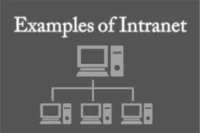
An intranet communication system is a private internal network that allows employees to communicate, share files, and stay updated from one place.
In this article, we will discuss the intranet communication system, its purpose, key features, and how it supports smooth intranet for internal communication.
What Is an Intranet Communication System?
An intranet communication system is a restricted internal platform that uses internet technologies (such as web browsers, internal servers, and cloud services) to:
- Share organizational information
- Facilitate internal communication
- Support collaboration and knowledge management
- Improve operational efficiency
Although it uses similar technologies as the internet, it is not public and is protected by authentication and security controls.
Key Features
Typical intranet systems include:
- Company news and announcements
- Employee directories
- Internal messaging and discussion boards
- Document management and file sharing
- Policies, procedures, and manuals
- Project collaboration spaces
- Search functionality
- Access control and permissions
Modern intranets may also integrate tools like HR systems, calendars, workflow automation, and analytics.
Role of Intranet in Internal Communication
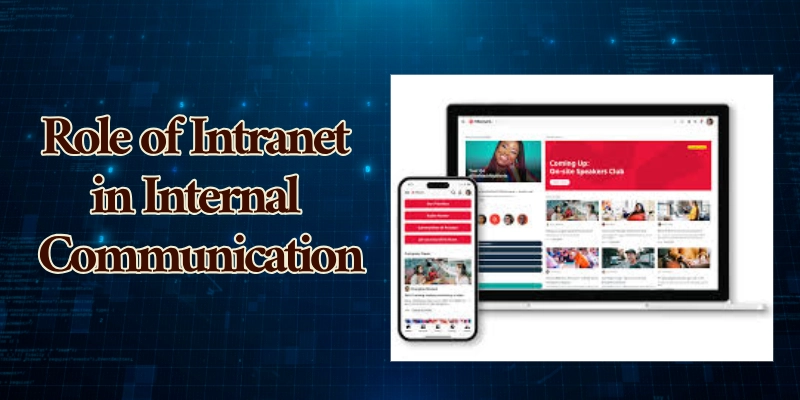
An intranet communications plays a critical role in enabling effective internal communications intranet within an organization. It serves as a secure digital workplace where employees can access information, communicate, and collaborate efficiently.
By centralizing communication channels, an intranet improves clarity, transparency, and engagement across all levels of the organization.
1. Central Communication Hub for the Organization
The intranet functions as a single, centralized communication hub that brings together all internal information and resources in one place. Instead of employees searching through emails or multiple platforms, they can rely on the intranet as the primary source of truth.
Key benefits include:
- Consistent messaging across departments
- Easy access to company policies, procedures, and updates
- Reduced information silos
- Improved alignment with organizational goals
By centralizing communication, the intranet ensures that employees receive accurate and up-to-date information when they need it.
2. Announcement and News Dissemination
An intranet is an effective platform for sharing organizational announcements and news in a structured and visible manner. Leadership and communication teams can publish updates that reach the entire workforce or specific groups.
Common uses include:
- Company-wide announcements
- Leadership messages
- Policy changes and compliance updates
- Event notifications and milestones
Unlike email, intranet announcements remain accessible for future reference, ensuring important messages are not lost or overlooked.
3. Instant Messaging and Collaboration Spaces
Modern intranets often integrate or support instant messaging and collaborative workspaces, enabling real-time communication and teamwork.
These features support:
- Team discussions and knowledge sharing
- Project-based collaboration
- Cross-departmental communication
- Quick problem-solving and decision-making
Collaboration spaces encourage two-way communication, allowing employees to contribute ideas, share feedback, and work together more effectively.
4. Reducing Email Overload and Improving Transparency
One of the major advantages of an intranet is its ability to reduce email overload. Instead of sending multiple mass emails, organizations can post updates, documents, and discussions on the intranet, where they are easily accessible.
This leads to:
- Fewer unnecessary emails
- Clearer and more transparent communication
- Better visibility into decisions and processes
- Increased trust within the organization
By making information openly available, the intranet promotes a culture of transparency and accountability.
Key Features of Intranet Communication System
An effective intranet communication system goes beyond basic information sharing. It combines communication, collaboration, content management, and engagement tools into one unified platform that supports employees and drives organizational efficiency.
- News & Announcements
- Internal Messaging & Chat
- Document & Content Management
- Employee Directory & Org Chart
- Search & Knowledge Base
- Mobile Access/Notifications
- Analytics & Engagement Tracking
1. News & Announcements
News and announcements are a foundational element of any intranet, enabling organizations to communicate important information clearly and consistently. This feature ensures that employees stay informed about company updates, leadership messages, and organizational changes through a centralized channel.
Core capabilities:
- Publish company-wide news posts
- Targeted announcements for specific teams or departments
- Scheduled or recurring messages
- Multimedia support (images, videos, links)
- Visual highlights on the intranet homepage
Benefits:
- Keeps employees informed about strategic messages, leadership updates, and policy changes
- Reduces reliance on email and increases visibility of important news
2. Internal Messaging & Chat
Internal messaging and chat tools support real-time communication across the organization. They allow employees to connect instantly, share ideas, and collaborate more efficiently compared to traditional email communication.
Core capabilities:
- One-to-one direct messages
- Group chats for projects or departments
- Quick reactions and threaded conversations
- Optional integration with presence/status indicators
Benefits:
- Encourages faster decision-making
- Reduces bottlenecks caused by slow email threads
- Supports informal communication and collaboration
3. Document & Content Management
Document and content management features provide a structured way to store, organize, and share organizational information. This ensures employees can easily access the latest and most accurate documents.
Core capabilities:
- Upload, organize, and share files
- Version control and document history
- Role-based access permissions
- Templates for policies, forms, and workflows
Benefits:
- Centralized repository for key documents
- Reduces duplicated files and outdated content
- Increases compliance with governance standards
4. Employee Directory & Org Chart
An employee directory and organizational chart help employees understand who works where and who to contact. This feature is especially valuable in large or distributed organizations.
Core capabilities:
- Searchable employee directory
- Profile pages with contact info, roles, skills
- Visual organizational charts showing hierarchies
- Optional integrations with HR systems
Benefits:
- Makes onboarding easier
- Increases cross-team visibility
- Helps employees quickly locate colleagues
5. Search & Knowledge Base
A strong search function combined with a knowledge base allows employees to quickly find information and answers to common questions. This feature supports self-service learning and knowledge retention.
Core capabilities:
- Unified search across intranet content, documents, and people
- Filters by type (documents, news, people)
- Frequently accessed topics and suggested results
- Knowledge base articles for common questions or procedures
Benefits:
- Saves time searching for resources
- Preserves organizational knowledge
- Reduces repetitive questions and training support
6. Mobile Access/Notifications
Mobile access ensures that employees can stay connected to the intranet regardless of location. This is particularly important for remote, field, or deskless workers.
Core capabilities:
- Responsive design or mobile app
- Push notifications for urgent updates
- Offline access to key content (in some platforms)
- Instant alerts for mentions, approvals, or events
Benefits:
- Supports remote, deskless, or field employees
- Ensures timely communication across locations
- Improves overall engagement
7. Analytics & Engagement Tracking
Analytics and engagement tracking help organizations understand how employees interact with the intranet. These insights are essential for improving communication effectiveness.
Core capabilities:
- Dashboard with usage statistics
- Metrics on page views, active users, and engagement rates
- Reports on popular documents and posts
- Feedback tools (likes, comments, ratings)
Benefits:
- Data-driven decision-making
- Identifies gaps in communication
- Optimizes content strategy based on employee behavior
How an Intranet Improves Internal Communication
An intranet strengthens an organization’s internal communication strategy by providing a structured, measurable, and targeted approach to sharing information. It ensures that communication is not only consistent but also aligned with organizational goals and employee needs.
1. Content Governance & Workflow Planning
An intranet supports content governance by defining clear rules for creating, approving, publishing, and maintaining internal content. Built-in workflows allow organizations to control who can publish information, review updates, and archive outdated content.
This improves:
- Accuracy and reliability of information
- Consistency in tone and messaging
- Compliance with organizational policies
Well-planned workflows ensure that the right content reaches employees at the right time.
2. Targeted Messaging for Departments
Modern intranets allow organizations to deliver targeted communication to specific departments, roles, or locations. Instead of broadcasting all messages to everyone, content can be customized based on relevance.
Benefits include:
- Reduced information overload
- Higher engagement with relevant content
- Clearer and more effective communication
Targeted messaging ensures employees receive information that directly impacts their work.
3. Measuring Communication Effectiveness
An intranet enables organizations to measure the effectiveness of internal communication through built-in analytics and engagement tracking tools. These insights help communication teams understand what works and what does not.
Key metrics include:
- Page views and content reach
- Employee engagement (likes, comments, shares)
- Active users and participation levels
By analyzing these metrics, organizations can continuously improve their communication strategy.
4. Modern Communication Strategies Teams Use
Communication teams use intranets as part of modern, multi-channel communication strategies that emphasize transparency, two-way communication, and data-driven decisions.
Common practices include:
- Using the intranet as a single source of truth
- Combining intranet content with messaging tools and town halls
- Encouraging employee feedback and interaction
- Adapting content based on analytics and user behavior
These strategies help organizations build trust, improve alignment, and foster a connected workforce.
Benefits of Intranet Communication System
An intranet communication system offers several key benefits that support effective internal communication and organizational efficiency, including:
- Improved employee engagement and alignment with organizational goals
- Faster and more efficient flow of information
- Enhanced collaboration across teams and departments
- Stronger knowledge sharing and a positive organizational culture
- Better support for remote and hybrid work environments
- Improved governance, consistency, and compliance across the organization
Challenges and How to Overcome Them
While intranet communication systems offer many benefits, organizations may face common challenges that need to be addressed for successful adoption and effective use.
The following are the common challenges of intranet communication systems and ways to overcome them.
1. Resistance to Adoption
Resistance to adoption occurs when employees are hesitant to shift from familiar tools to a new intranet system.
- Employees prefer existing tools or resist change
- Provide training and onboarding support
- Communicate clear benefits and use cases
- Encourage leadership adoption and visibility
- Collect feedback and improve usability
2. Content Overload
Content overload happens when too much information is shared without proper structure or relevance.
- Excessive or irrelevant content overwhelms users
- Apply content governance and ownership rules
- Use targeted messaging and audience segmentation
- Archive outdated or unused content regularly
- Organize content with tags, categories, and search
3. Integration with Existing Tools
Integration challenges arise when the intranet does not work smoothly with current organizational systems.
- Disconnected systems reduce efficiency
- Select intranet platforms with built-in integrations
- Enable single sign-on (SSO) for ease of access
- Align intranet workflows with current tools
- Use APIs to connect key business systems
4. Security and Access Control
Security and access control issues relate to protecting sensitive data while allowing appropriate access.
- Risk of unauthorized access or data leakage
- Implement role-based access controls
- Enforce strong authentication policies
- Conduct regular permission audits
- Follow organizational security and compliance standards
Top Intranet Communication Systems and Platforms
The following are top intranet communication systems and platforms with their main highlights:
- Microsoft SharePoint: Enterprise intranet; integrates with Microsoft 365; strong document sharing.
- Staffbase: Mobile-first intranet; news feeds, analytics; ideal for frontline and distributed teams.
- Workvivo: Social-style platform; engagement and community-focused; interactive content.
- Simpplr: User-friendly SaaS intranet; AI personalization and analytics; mid-to-large organizations.
- Unily: Enterprise-grade, advanced customization, multilingual support, and strong governance.
- Samepage / Zoho Connect: Social intranet; feeds, groups, and forums; collaboration-focused.
- ThoughtFarmer: Content-rich, personalized homepages, social engagement, and knowledge sharing.
- Axero: Combines communication, collaboration, and knowledge management; customizable workspaces.
How to Choose the Right Intranet for Your Team
The following are key factors for choosing the right intranet for your team:
- Assess your internal communication goals
- Consider the size and culture of your organization
- Check integration needs (e.g., Teams, Slack, Google Workspace)
- Determine budget and deployment preferences (cloud vs on-premise)
Implementation Best Practices
The following are best practices for successful intranet implementation:
- Gather stakeholder requirements
- Build a governance and content plan
- Promote the intranet launch internally
- Train users and track engagement
Future Trends in Intranet Communication Systems
The following are key future trends in intranet communication systems:
- AI-powered engagement and automation
- Mobile-first intranets for on-the-go access
- Personalized content delivery for targeted communication
- Advanced analytics dashboards for insights and optimization
- Enhanced collaboration tools (integrated chat, video, and project spaces)
- Social and community-driven features to boost employee engagement
- Cloud-based platforms for scalability, flexibility, and remote access
Conclusion
In this guide, we have covered intranet communication system essentials, highlighting how they improve internal communication, collaboration, information sharing, and employee engagement while supporting organizational efficiency and transparency.
Based on these insights, organizations should prioritize selecting an intranet solution that aligns with their goals and is user-friendly, secure, and scalable, so start evaluating intranet systems for your organization today to build a more connected and productive workplace.
Frequently Asked Questions (FAQs)
Here are some of the most common questions readers have after learning about intranet communication systems. The answers below explain them in a clear and simple way.
An intranet is a private network used within an organization to share information and communicate securely. It is only accessible to employees or authorized users. Companies use it to centralize updates, documents, and internal tools.
The intranet meaning refers to an internal website or network designed for employees. It works like the internet but stays private to the organization. Its goal is to make internal communication simple and secure.
Many people ask what type of network is an intranet, and the answer is a private internal network. It uses internet technologies but restricts access to internal users only. This setup protects company data while enabling fast communication.
If you wonder how do intranets work, they operate through secure servers and login-based access. Employees use a browser or app to view content, share files, and communicate. Permissions control who can see or edit information.
The main question is often what is the purpose of intranet, and the answer is internal communication and collaboration. It helps employees find information quickly and stay aligned with company goals. It also supports knowledge sharing and transparency.
One common query is what is the benefit of an intranet for daily work. It reduces email overload and saves time by centralizing information. Employees feel more connected and informed.
The advantages of an intranet include better communication, improved productivity, and stronger engagement. It creates a consistent source of truth for policies and updates. This leads to fewer errors and clearer workflows.
Many ask how does the intranet work alongside tools like email or chat apps. Modern intranets integrate with platforms such as Microsoft Teams or Google Workspace. This allows users to access everything from one central place.
An intranet tool is software that powers internal communication and collaboration. It helps teams publish content, manage documents, and connect employees. Choosing the right tool improves adoption and usability.
Intranet programs are used for communication, document management, and employee engagement. They support remote and hybrid teams by providing consistent access to information. Modern programs also include analytics to measure communication success.



- Be Respectful
- Stay Relevant
- Stay Positive
- True Feedback
- Encourage Discussion
- Avoid Spamming
- No Fake News
- Don't Copy-Paste
- No Personal Attacks
- Be Respectful
- Stay Relevant
- Stay Positive
- True Feedback
- Encourage Discussion
- Avoid Spamming
- No Fake News
- Don't Copy-Paste
- No Personal Attacks
